Give every customer an immediate, accurate next step
One agent, trained on your own content, answering across website chat, social, email, SMS and phone — capturing leads, booking appointments and handing the hard conversations to your team with the full context attached.
Personalized walkthroughs, built from your own website.
Support that doesn't scale is costing you customers
Slow first replies, silence outside opening hours, and a team answering the same questions all day. Each one is a customer, or a sale, quietly slipping away.
Customers wait hours, or until morning, for a reply.
Instant, grounded answers 24/7, in your customer's language.
Your team answers the same questions over and over.
AI answers repetitive tickets automatically, around the clock.
Leads and bookings slip away after closing time.
Capture leads and book appointments while you sleep.
Support costs balloon with every new customer.
Scale conversations without scaling headcount.
Answers are scattered across docs, PDFs, and FAQs.
One agent trained on all your knowledge, always current.
You can't prove support is actually working.
Resolution rate, CSAT, and hours saved on one dashboard.
Four things a conversation can become
Deflection is only the first one. The agent is measured on what it actually completed, not how many messages it absorbed.
Resolve requests
Answer repetitive questions using verified business knowledge, with the source behind each reply visible in your dashboard.
Capture opportunities
Collect contact details, qualify intent and route valuable conversations to the right person instead of losing them in an inbox.
Book appointments
Connect supported scheduling systems and guide customers to a time that is genuinely available.
Complete actions
Look up information, create tickets and call approved APIs or webhooks — each one permissioned and logged.
One knowledge layer, every channel your customers use
Answers are grounded in the content you supplied, so the reply on WhatsApp matches the reply on your website — and you can trace where either one came from.
Grounded in your knowledge
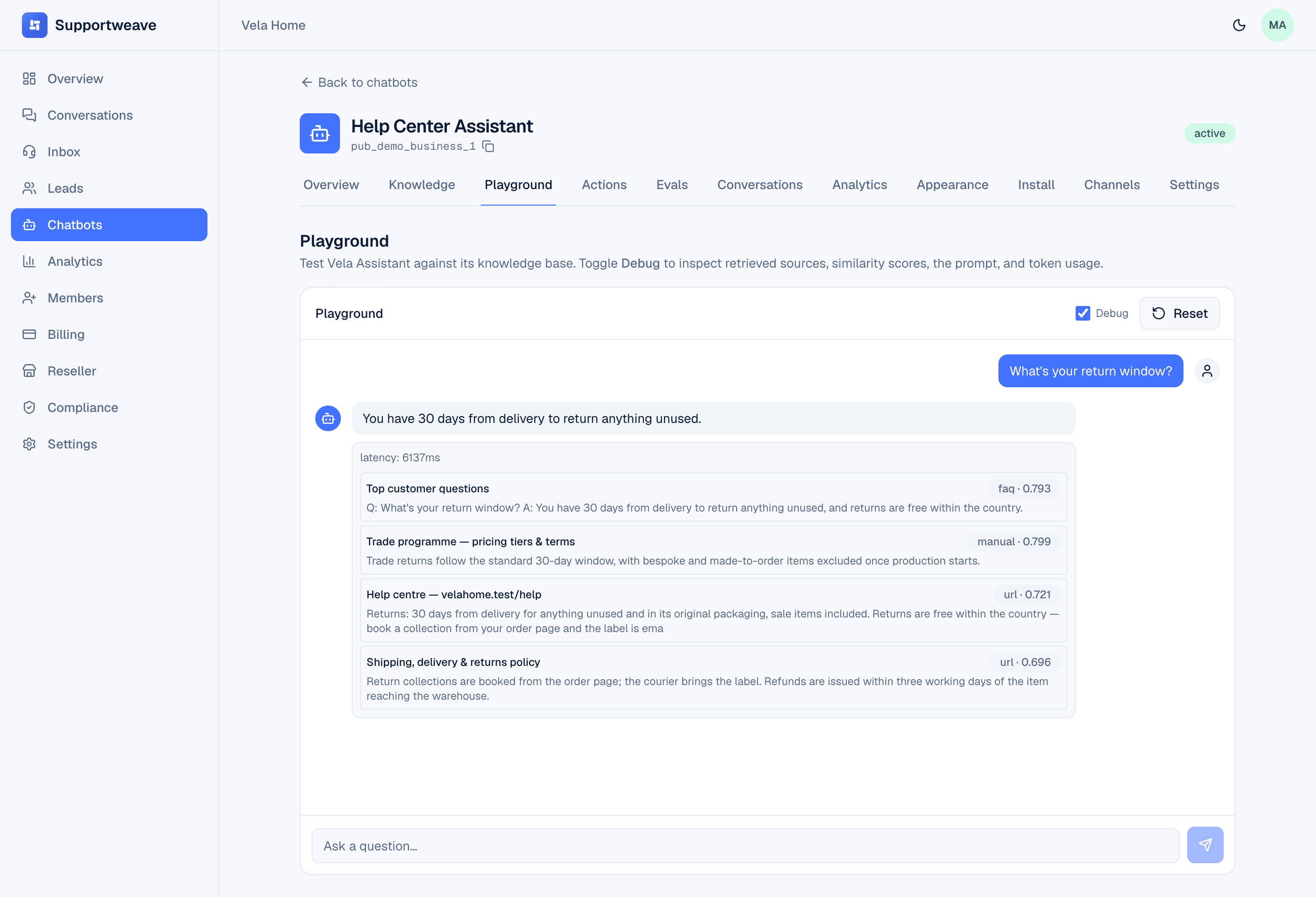
Crawl your website, upload documents, add the FAQs your team repeats. The agent retrieves from that content and shows you the sources behind each answer.
- Website crawling and document upload as knowledge sources
- A playground to test real questions before customers see them
- Unanswered questions recorded as measurable knowledge gaps
- Defers to a human instead of guessing when confidence is low
It does the work, not just the talking
Approved actions turn a conversation into a booked appointment, a qualified lead, or a ticket in the system your team already uses.
Capture the opportunity in the conversation
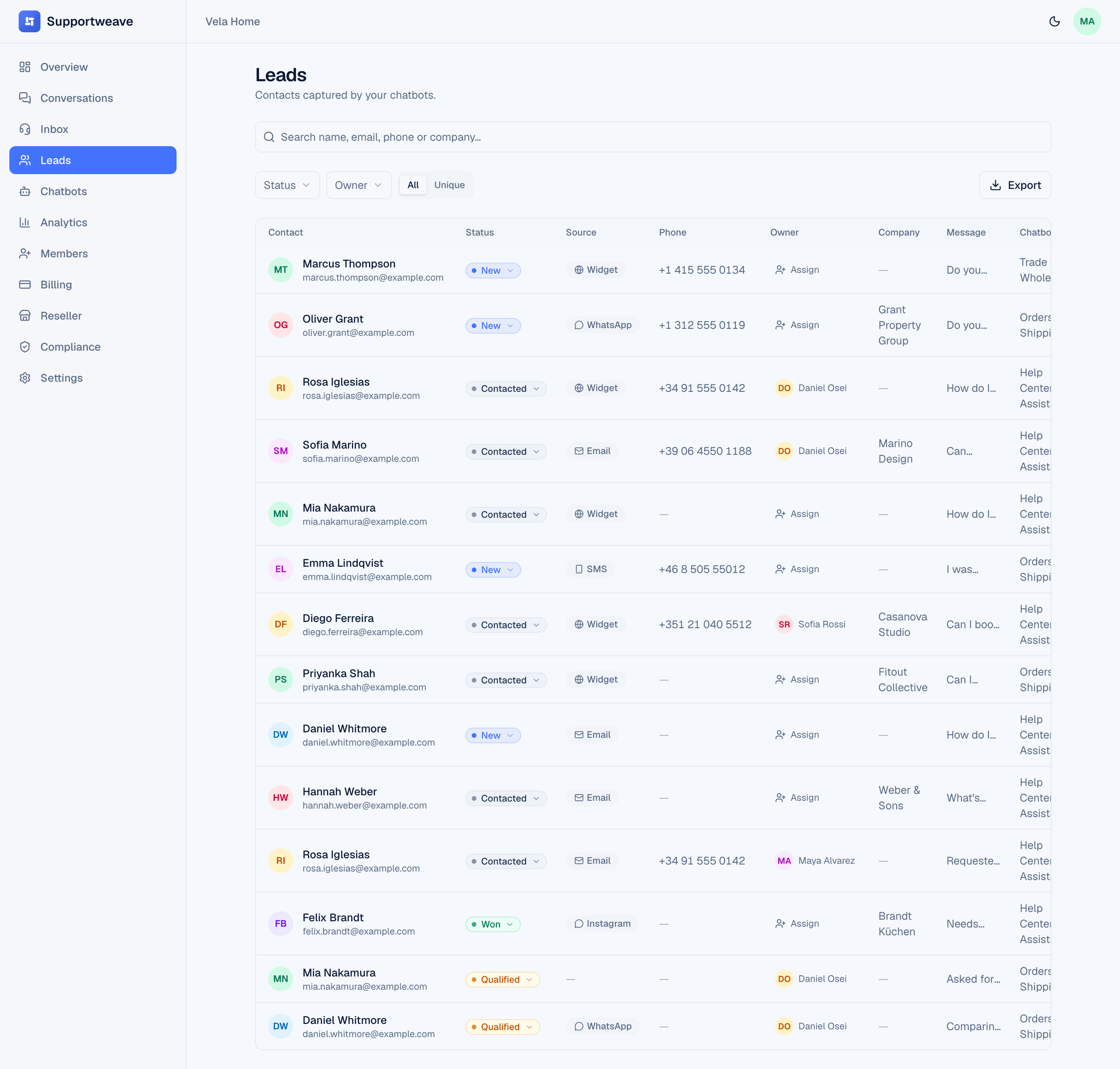
When someone shows buying intent, the agent asks for what you need, qualifies against your own criteria, and records the lead with the whole conversation attached — so whoever follows up already knows the story.
- Contact capture mid-conversation
- Qualification against your criteria
- Appointment booking on supported calendars
- Ticket creation and approved API calls
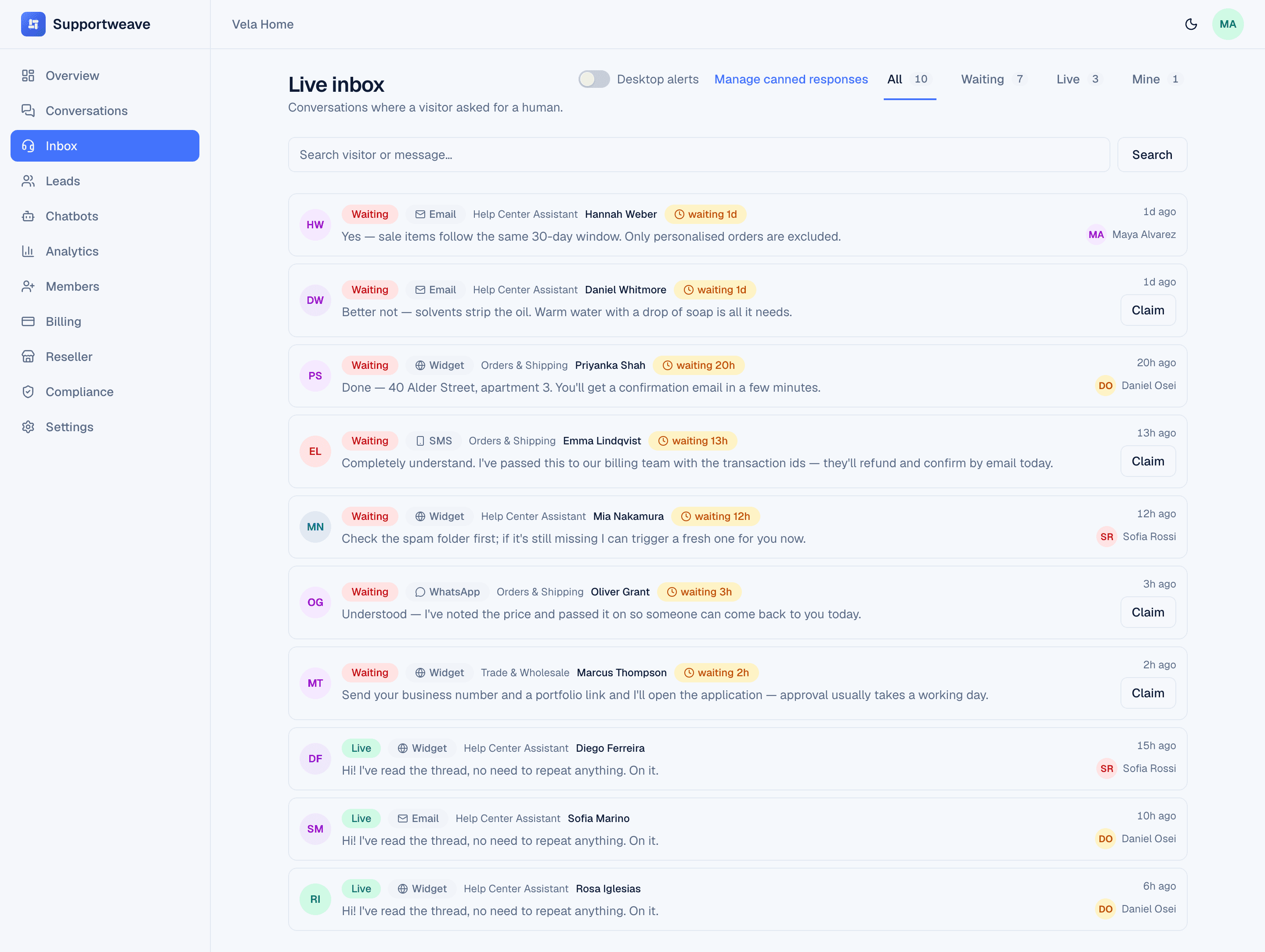
Human escalation, with the context already there
Complex, sensitive or high-value conversations reach a person. Your teammate opens the thread and finds the full history, the customer’s details, the internal notes and a suggested response — nothing to reconstruct, nothing to ask twice.
See how handoff worksThe phone line, answered
A missed call is a missed customer. The voice agent answers, works from the same knowledge as every other channel, books or captures what it can, and transfers to your team when the caller needs a person.
Explore the voice agentHow it gets set up
Configuration, not engineering. We do the first pass with you during your walkthrough.
Add your knowledge
Point it at your website to crawl, upload documents, or add FAQs. We process and index the content automatically, then you review what it imported before anything goes live.
Customize & embed
Brand the widget to match your site, set the tone and greeting, then drop in one script tag, or connect a channel.
Go live everywhere
Your agent answers across web and messaging, books and escalates when needed, and reports the outcomes it drove.
Tuned to the way your business works
Each industry starts from the questions, actions and escalation rules that industry actually needs.
Work out what it could be worth
Put in your conversation volume, handling time and support costs, and see the addressable hours and recoverable opportunities. It’s an estimate from your own numbers — not a promise.
Plans that follow your volume
Published pricing, understandable usage units, and no obligation to talk to anyone before you know what it costs. Plans are currently set up through guided early-access onboarding.
Controls your customers' data deserves
The agent handles real customer conversations, so the controls around it are part of the product, not an upgrade.
Audit trail
Every security and account event is logged: who did what, when, with CSV export.
GDPR export & erasure
Per-workspace data export and right-to-be-forgotten delete, built in.
Data retention
Set a per-workspace window; a daily job auto-purges old conversations and messages.
Secrets encrypted at rest
Channel credentials are AES-GCM encrypted at rest and are not exposed to the model or to client-side code.
Enforced 2FA
TOTP two-factor enrollment and an enforced login challenge.
Outbound safety (allow-list)
Outbound agent actions are restricted to destinations you've explicitly allow-listed, with server-side protections on every outbound request.
Frequently asked questions
What business teams ask before their walkthrough.
How does the agent know the answers to my customers' questions?
You point it at the knowledge you already have: your website, uploaded documents and FAQs. It indexes that content and answers from it, showing you the source behind each reply in your dashboard.
What happens when it does not know the answer?
It says so rather than inventing one, and hands the conversation to your team with the full history attached. Every unanswered question is recorded as a knowledge gap so you can see what to add next.
Which channels can one agent cover?
Website chat, WhatsApp, Instagram, Messenger, SMS, Slack, and phone — with the same knowledge, personality, and approved actions on each. Email lands in the same inbox for your team to answer. Every conversation in one place.
Can my team take over a conversation?
Yes. A conversation can escalate on a customer request, a detected intent, or a rule you set. Your teammate picks it up with the transcript, the customer's details and a suggested reply already in front of them.
Will it replace the people on my support team?
No, and we would not position it that way. It takes the repetitive volume and the after-hours gap so your team spends its time on the conversations that actually need a person.
How do I get access before public launch?
Through a personalized walkthrough. We set your workspace up with you, configure the channels you use and agree the actions the agent is allowed to take before anything goes near a customer.
See Supportweave answering your customers' questions
Share your website, the channels you use and what your team spends its day on. We'll show what the agent would resolve, what it would action, and where it would bring a human in.